
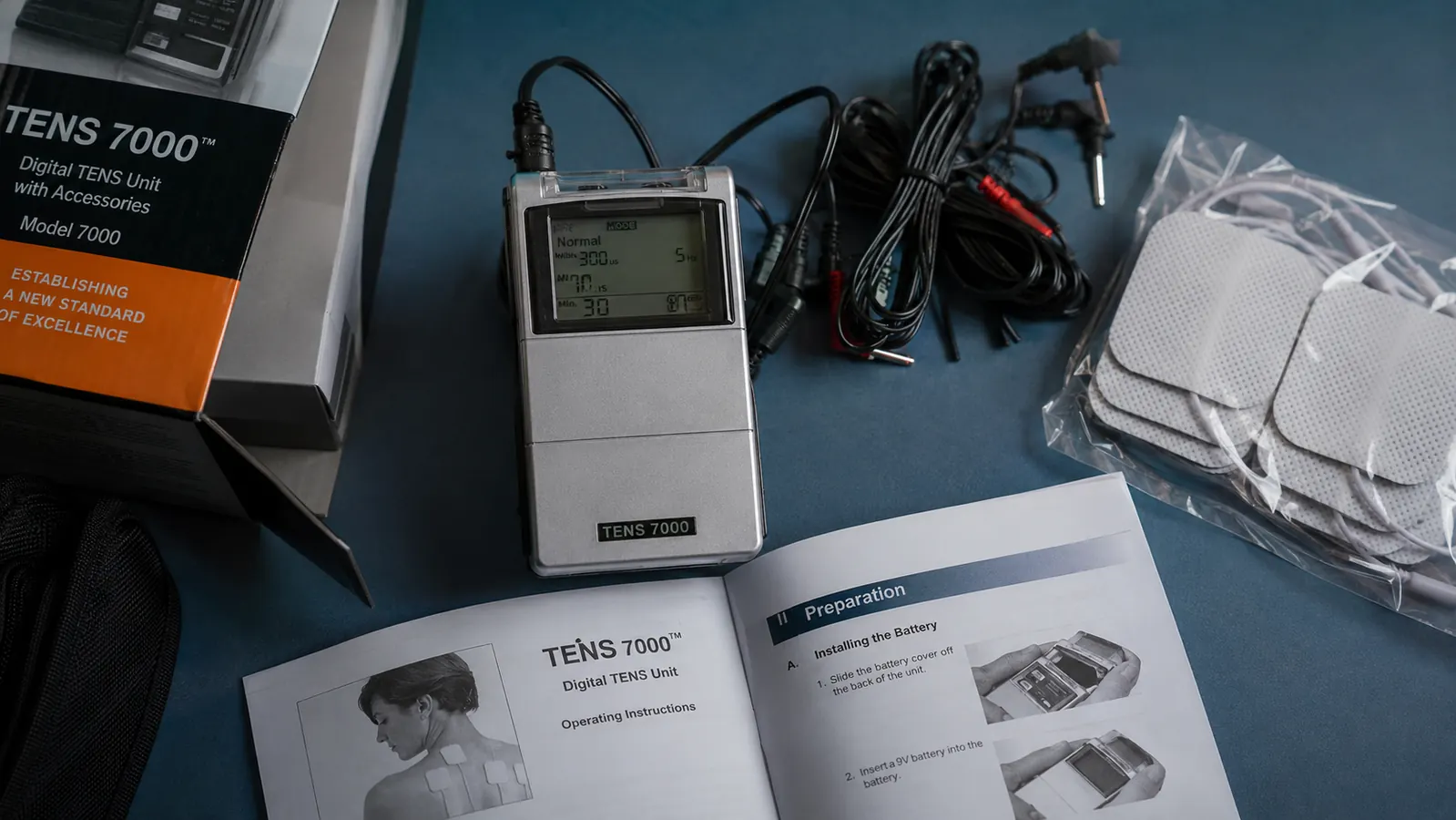
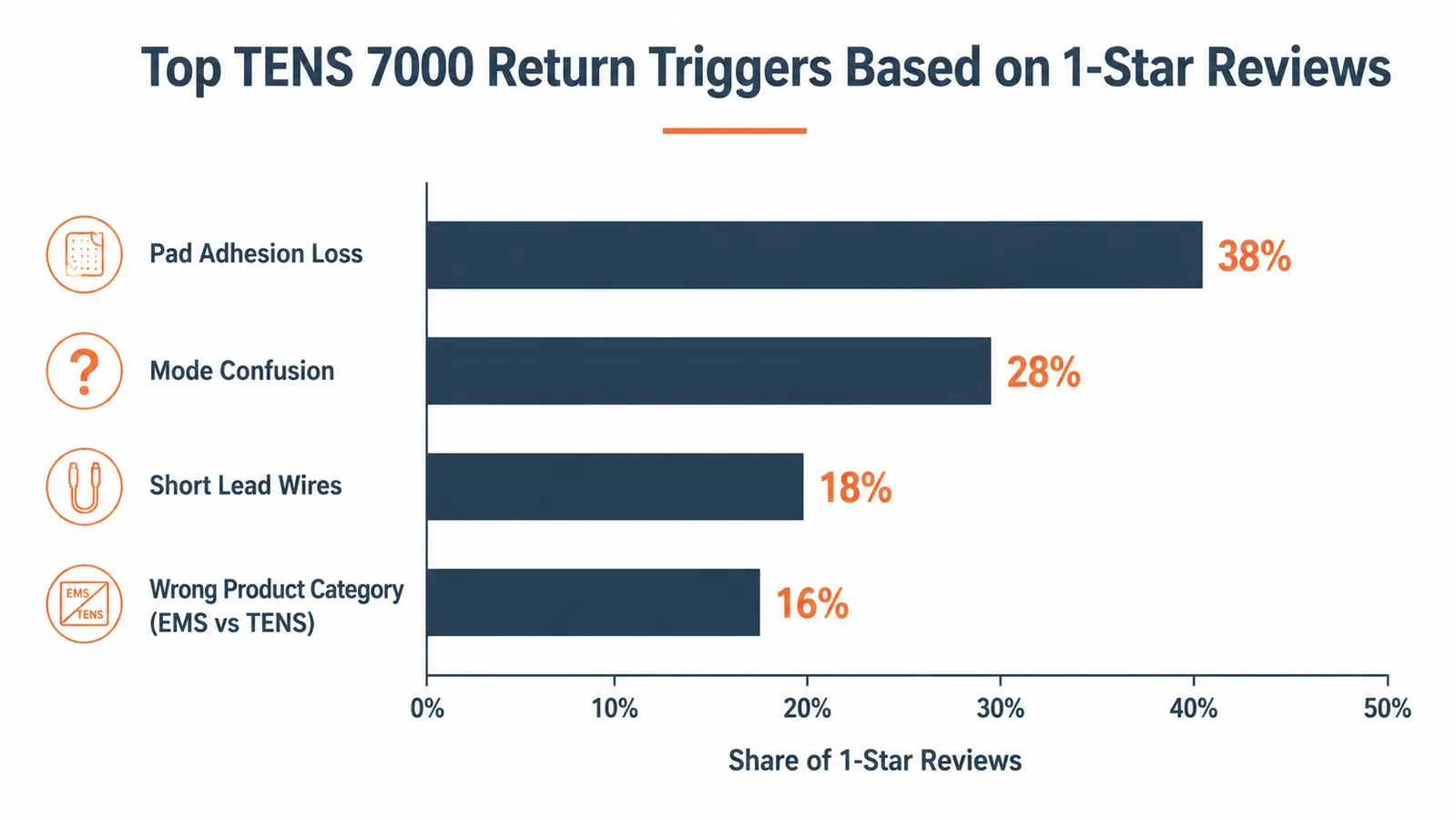
Let me start with the part most reviews skip. The TENS 7000 has 106,875 Amazon reviews and a 4.6-star average, which sounds like a slam dunk. But scroll down to the one and two-star reviews and you will find a consistent set of frustrations: pads that stop sticking after two weeks, modes that nobody explains, wires that are too short, and a surprising number of people who bought this device expecting it to work like a massage gun or a muscle stimulator and got something completely different. Some of those people returned it. Some of them were using it wrong. A few of them were right to return it. This review is going to tell you which is which.
I am Coach Dana Whitfield. I work with gym-goers, runners, and desk workers on recovery protocols, and the TENS 7000 comes up constantly because of its price point and visibility on Amazon. I have recommended it, watched clients struggle with it, and talked a few of them through the exact gotchas that almost made them send it back. Here is what I know, unfiltered.
The Quick Verdict
A capable TENS unit that underperforms in the first week because the documentation is terrible -- but most of the complaints that drive returns are fixable in under five minutes.
Amazon Check Today's Price →Still sore two days after training? The TENS 7000 may be the answer -- but read the gotchas below before you click.
The TENS 7000 is the most-reviewed consumer TENS unit on Amazon. Whether it is right for your situation depends on what you are trying to fix. Check today's price while you read.
Amazon Check Today's Price on Amazon →The First Problem: Most People Have No Idea What TENS Actually Does
A big slice of the negative reviews for the TENS 7000 are not really about the TENS 7000. They are about a mismatch between what the buyer wanted and what the device actually is. TENS -- Transcutaneous Electrical Nerve Stimulation -- works on the nervous system. The low-voltage electrical signal interrupts pain and soreness signals before they reach your brain. It is a sensory tool, not a muscle-activation tool. It does not contract your muscles. It does not increase blood flow in the way a massage does. What it does is make your muscles feel quieter and less tense for a window of time after each session.
If you bought this because you saw someone use a wireless EMS device on a football player's hamstring on social media, you have the wrong product. EMS (electrical muscle stimulation) sends stronger signals specifically designed to cause muscle contractions. TENS is gentler and operates differently. The TENS 7000 is not an EMS device. Knowing this before you buy will save you a return label.
Who the TENS 7000 actually helps: people whose muscles are sore and tense after training, desk workers whose necks and upper backs feel locked up by Thursday, runners with nagging lower-leg tightness between race training days. The device is very good at reducing perceived discomfort and muscle tension. If that is what you need, keep reading.
The Six Modes and Why They Confuse Almost Everyone
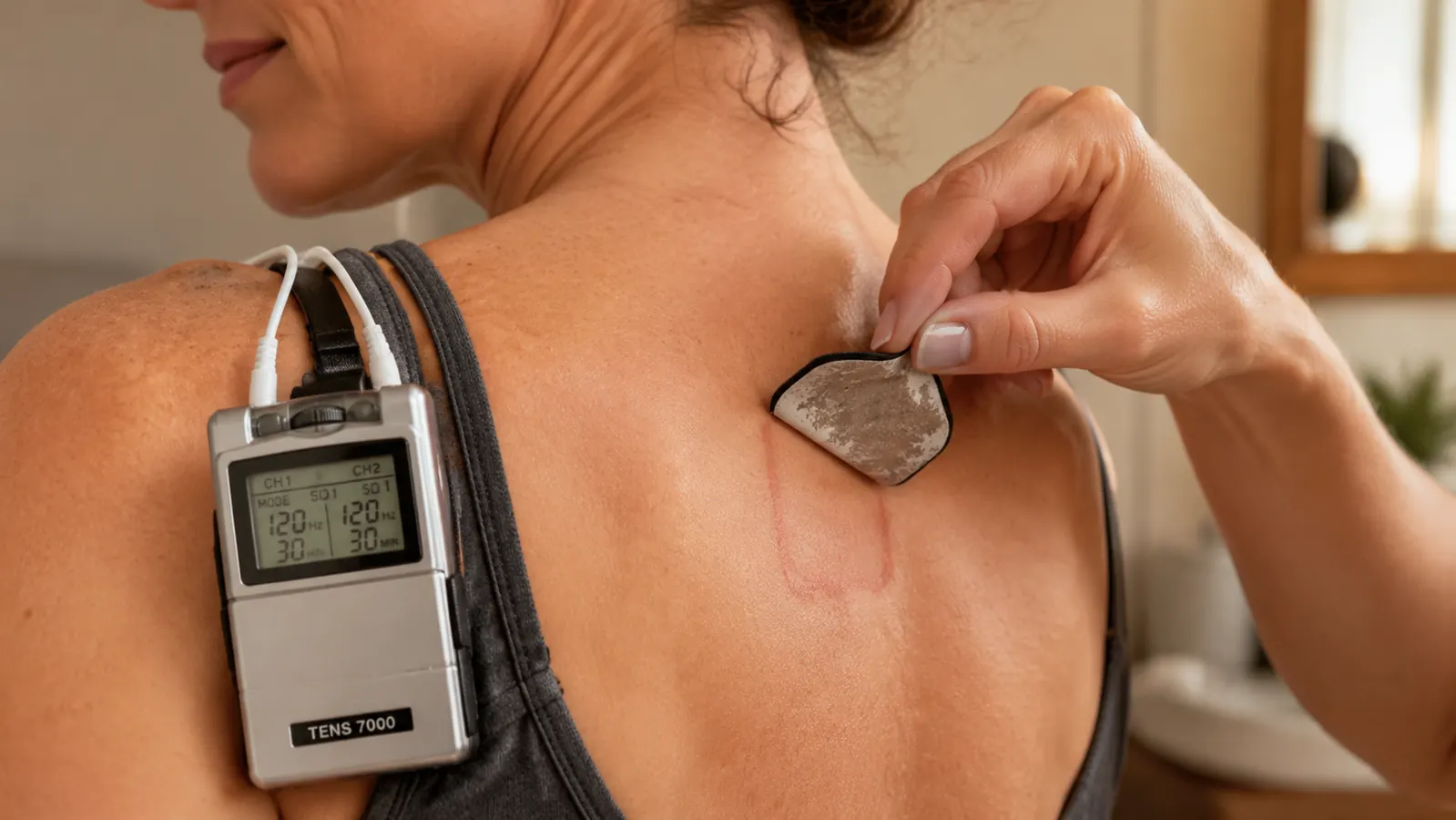
The TENS 7000 ships with six pre-set modes: Normal, Burst, Modulation, SD1, SD2, and SD3. The included manual assigns each mode a single line of description that tells you almost nothing about when or why to use each one. I have watched clients stare at that mode list and do one of two things: pick Normal and never change it, or cycle through all six randomly and decide the device is broken when nothing feels noticeably different.
Here is the practical breakdown the manual skips. Normal mode delivers a steady, continuous signal -- it is the right starting point for general muscle soreness on large areas like quads, hamstrings, and lower back. Burst mode pulses the signal on and off, which tends to feel more intense and works well for stubborn knots in the upper traps or calves where you want more targeted sensation. Modulation shifts the intensity and frequency automatically to prevent your nerves from habituating to the signal -- useful if you have been using TENS long enough that Normal mode has started to feel like background noise. The SD modes (SD1, SD2, SD3) are surge-decay patterns that feel more like a kneading sensation. They are worth trying on shoulders and neck where you want something that feels closer to a manual pressure cycle.
The real advice: start with Normal at intensity level 3, work up slowly until you feel a clear tingling without pain, and stay there for your first three or four sessions. Do not touch the other modes until you have a feel for how your body responds to the baseline signal. Most people who say the device does not work have never moved past intensity 2, where the signal is too faint to do much of anything.
Most people who say the TENS 7000 does not work have never moved past intensity 2. The signal at that level is too faint to do much. Bump it to 4, then 5, and give it ten minutes before you write it off.
The Pad Problem: Real, Fixable, and Not Fully TENS 7000's Fault
This is the complaint that shows up most consistently in the honest reviews, and it is the one I want you to take seriously before you buy. The electrode pads that come in the box are standard self-adhesive gel pads. They work well when new. They will not last as long as you want them to.
The adhesion degrades for two reasons, and one of them is user error. First, the pads are sensitive to skin oils, lotion, and sweat. If you slap them onto skin that has not been cleaned, you shorten their lifespan by days, not hours. Wipe the placement area with a damp cloth and let it dry before each session. That single habit extends pad life significantly. Second, even with perfect care, the gel layer on the included pads does wear out. For daily users, expect three to five weeks before you notice a meaningful drop in adhesion.
The fix is inexpensive and straightforward. Replacement pads compatible with the TENS 7000's 2mm snap connectors are widely available on Amazon in packs of 16 or 20 for a few dollars. Buy a replacement set when you order the device. Do not wait until the included pads fail to start looking for replacements -- by then you will go days without being able to use it while you wait for shipping. This is a known consumable cost of owning any TENS unit; it is not unique to this brand.
Build Quality: What Is Solid and What Is Not
The main unit itself feels solid. The casing is dense plastic with a slightly rubberized grip on the back face. The digital display is clear in most lighting conditions and large enough to read without leaning in. The intensity buttons have a satisfying click with no mushiness. I have seen these units used daily by clients for well over a year without the device itself developing any problems.
The lead wires are the weak point. At roughly 24 inches, they are functional for seated or lying-down use but become limiting if you want to move around while wearing the device. The connectors are standard 2mm pin style and are replaceable, but the wires themselves feel thin for their length. Handle the connector ends with care, particularly where the wire meets the plug. That junction is where wear tends to show up first after months of use.
The belt clip is a known complaint. It does the job of keeping the device accessible while you sit through a session, but it does not inspire confidence. The clip has some flex at the attachment point that becomes more pronounced with regular use. If the belt clip broke tomorrow, you would lose almost no functionality -- the device works fine resting on a surface next to you or held in your hand. The clip is a convenience feature, not a structural one, and it is not worth basing a purchase decision on.

Pad Placement: The Thing Nobody Explains That Determines Your Results
Pad placement matters more than any setting on the device. Place the pads wrong and you will feel a mild buzz in the wrong spot, decide the device is underwhelming, and return it. Place them correctly and the sensation is immediate, targeted, and noticeably effective within the first few minutes of a session.
The basic rule: position the two pads on either side of the sore muscle belly, not directly on the spine, and not on bony prominences. For lower back soreness, one pad goes on the left side of the lumbar, one on the right -- each about two finger-widths out from the spine. For quad soreness, one pad on the upper quad near the hip crease and one on the lower quad above the knee. For upper traps, one pad on each side of the knotted area with the pads parallel to the muscle fiber direction. The current needs a clear path between two pads to create the stimulation effect. If you stack them too close together, you shorten the current path and weaken the sensation. For detailed step-by-step guidance on placement for different muscle groups, the TENS unit post-workout placement guide on this site covers it thoroughly.
One placement the TENS 7000 is not designed for: directly over the front of the neck, over the heart or chest, or across the abdomen during pregnancy. These are safety exclusions that apply to all TENS devices, not just this one. The manual mentions them, but briefly. If you have a pacemaker, any implanted electronic device, epilepsy, or active cancer, consult your doctor before using any TENS unit.
The Battery Situation and What It Costs to Run This Thing
The TENS 7000 runs on two AAA batteries. There is no built-in rechargeable battery. For occasional users, this is a non-issue. For daily users, it adds a small recurring cost that is worth factoring in when you compare it to rechargeable units. At moderate intensity (level 5 to 7) in 20-minute sessions, I found a fresh pair of AAA batteries lasted roughly 8 to 10 sessions before the low-battery indicator appeared. If you use it daily, that is a new pair of batteries every week and a half to two weeks.
Rechargeable AAA batteries work fine and eliminate the ongoing cost. A four-pack of quality rechargeable AAAs and a small charger is a worthwhile companion purchase. This is not a dealbreaker for most people, but the marketing materials do not mention it and some buyers are surprised when the device dies mid-session on day nine.
What I Liked
- Main unit build quality is solid and holds up to daily use over months
- Large, readable digital display at arm's length -- no squinting required
- 100mA output ceiling is higher than many consumer competitors in this price range
- Wide accessory availability -- replacement pads and wires are cheap and easy to find
- Six modes give real versatility once you know what each one does
- Effective soreness relief when used correctly with good pad placement
Where It Falls Short
- Included pads lose adhesion in 3 to 5 weeks of daily use -- budget for replacements
- Manual is vague to the point of being unhelpful on modes and placement
- Lead wires at 24 inches limit movement during sessions
- Belt clip develops play at the hinge with regular use
- Runs on AAA batteries with no rechargeable option built in
- Easy to misuse at too-low intensity and conclude it does not work
Who This Is For
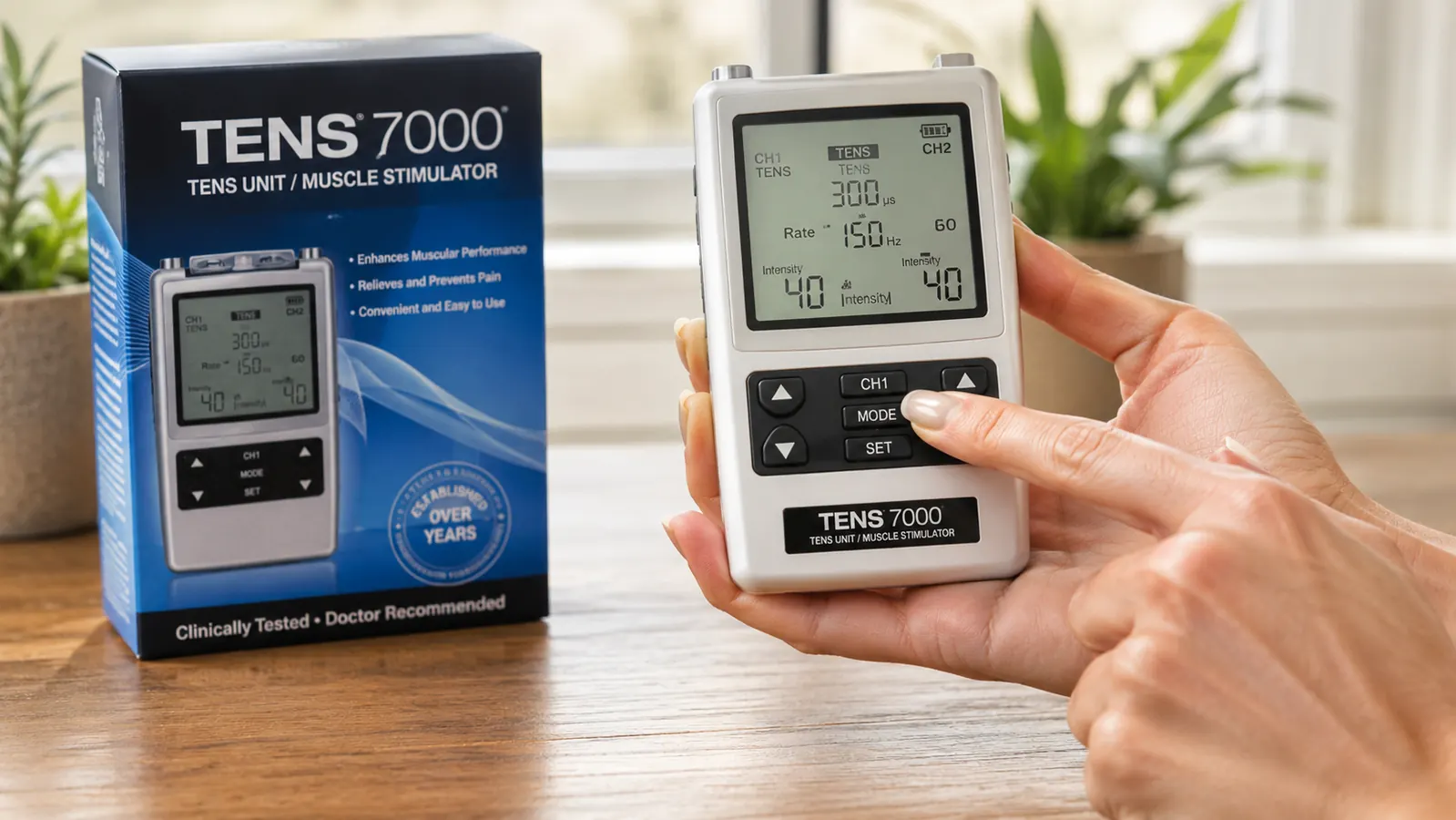
The TENS 7000 is the right fit for people who train regularly and deal with the predictable soreness that piles up between sessions: lower back tension from deadlifts, quad and hamstring tightness after leg day, calf fatigue from running mileage. It is also well-suited for desk workers who develop chronic upper trap and neck tension through the work week and want a low-effort way to decompress those areas at home without booking a massage appointment. If you are willing to spend 10 minutes learning correct pad placement before your first session, the device rewards that investment quickly. For a look at the broader scope of what TENS can do in a recovery protocol, the TENS 7000 vs Compex comparison breaks down where this device sits relative to more advanced options.
Who Should Skip It
Skip the TENS 7000 if you want muscle activation, not pain signal interruption -- you are looking at EMS territory, which is a different device category entirely. Skip it if you need wireless pads for mobility during sessions or if you want to use a TENS unit while moving through exercises rather than sitting still. Skip it if your goal is to address diagnosed nerve pain or chronic conditions -- that conversation belongs with a physical therapist or physician, not a consumer device. And skip the whole category if you are not willing to spend a few minutes learning placement basics; the device will frustrate you if you use it by guesswork.
Sore muscles, tight back, or chronically tense neck -- the TENS 7000 is worth trying if you go in knowing what it does.
The gotchas are real but they are manageable. Get replacement pads at the same time, spend 10 minutes on placement, and start at intensity 4 rather than 2. Most people who almost returned this device are glad they gave it one more session. Check today's price and make the call.
Amazon Check Today's Price on Amazon →